

Licenses and prices
Replace default estimates with contract prices and understand how cost coverage affects reporting.
Open Licenses & prices to inspect your inventory and maintain the workspace’s price book. Contract prices make estimated waste relevant to your agreement.
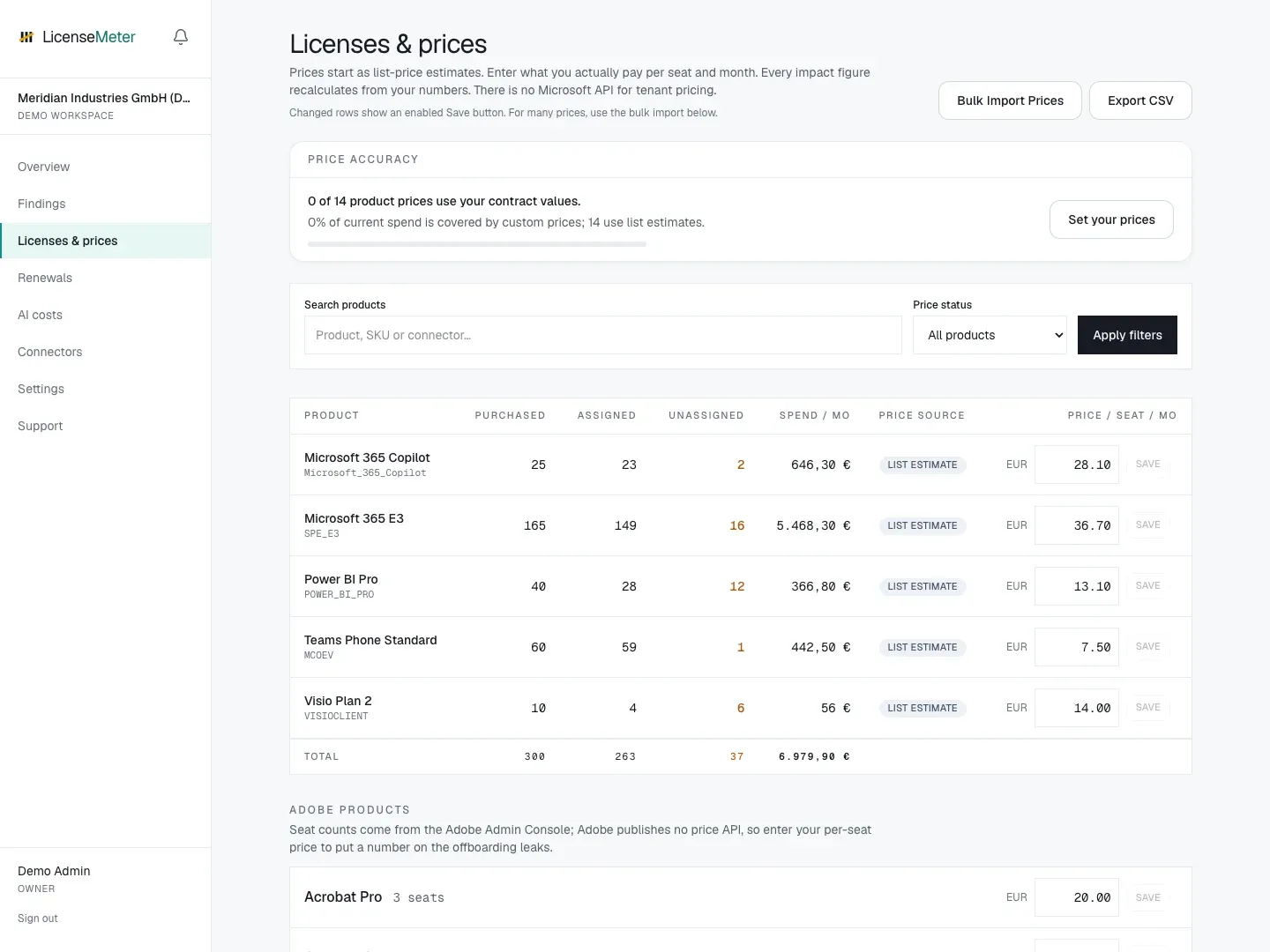
LicenseMeter sample workspace. All names, costs and findings shown are demonstration data.
-
Identify the product
Section titled “Identify the product”Match the product in the inventory to the exact item in your contract. Microsoft products use SKU identifiers; other providers use their own product keys. Similar product names do not always mean identical entitlements.
-
Enter a monthly per-seat price
Section titled “Enter a monthly per-seat price”Use the contracted monthly equivalent for one seat, in the workspace’s selected currency. If your agreement is annual, calculate a consistent monthly equivalent before entering it. Saving a price updates estimates inside LicenseMeter; it does not change vendor billing.
-
Check price accuracy
Section titled “Check price accuracy”Return to Overview and inspect Price accuracy. Review both how many products use custom prices and how much spend those prices cover. Unpriced products can produce an understated total.
Bulk prices and exports
Section titled “Bulk prices and exports”Use the price import controls for a larger price book. Start from the exported price book so product keys align with the workspace inventory. Inspect unmatched keys and validation messages before assuming every price was applied.
API spending from OpenAI and Anthropic is reported separately in USD. A ChatGPT or Claude subscription seat uses a price-book entry, while API usage uses provider cost data. See AI costs.