

Explore the sample workspace
Try the complete review journey with fictional data and no provider credentials.
Open LicenseMeter and select Open the sample tenant. No sign-in account, provider keys or Microsoft admin consent are needed.
- Confirm Demo workspace in the sidebar or mobile menu.
- In Overview, inspect Monthly waste, Price accuracy and Next best actions. These are fictional figures.
- Open Findings, choose a finding and inspect its evidence and user context. Workflow controls may display a preview.
- Open Licenses & prices to see the price basis. Demo changes are not saved.
- Browse Connectors to learn what each provider supplies. Sample connection status does not represent access to any real provider.
- Select PDF report to inspect a demonstration export. Keep its sample-data context when sharing it.
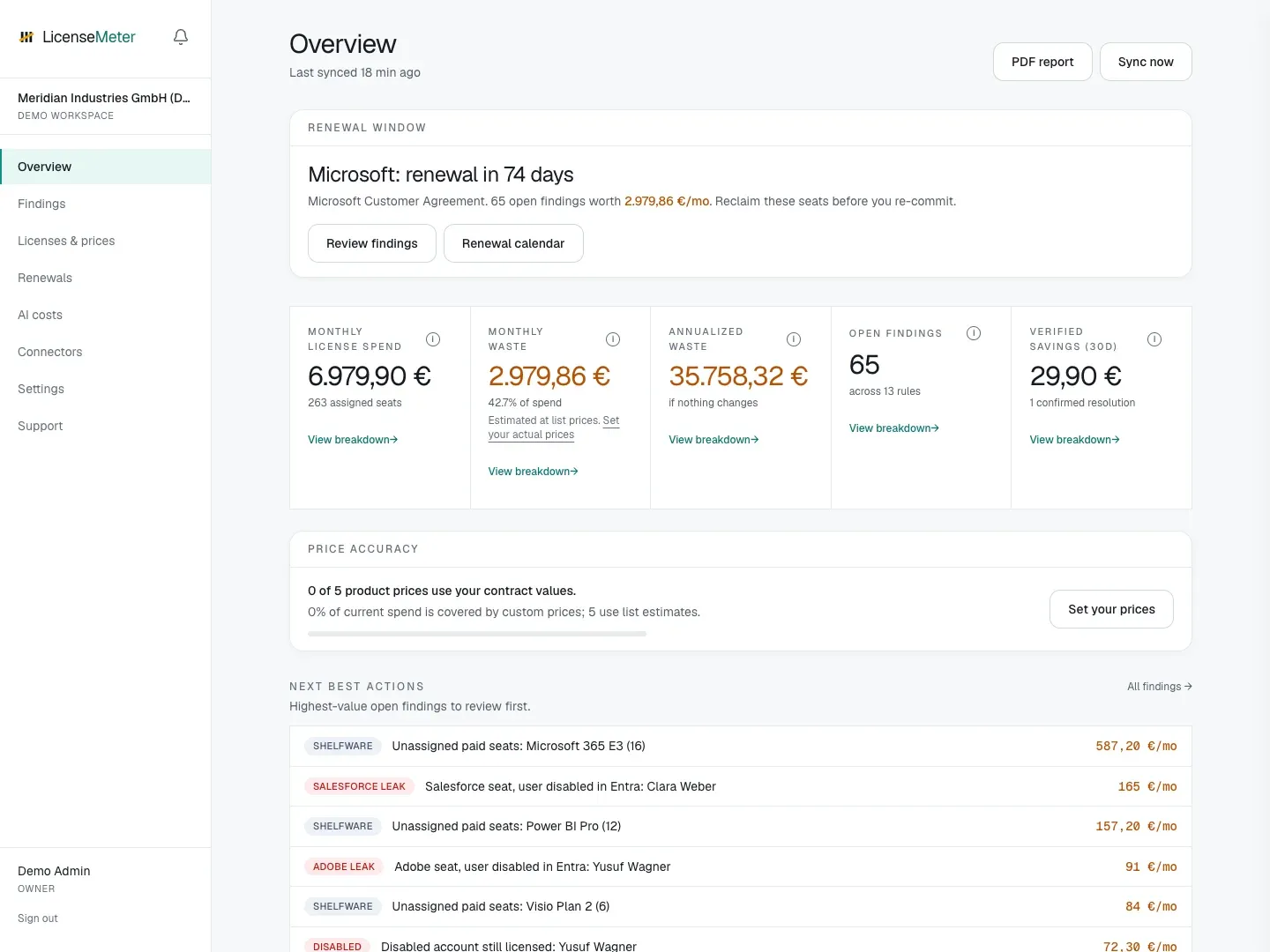
Built-in sample workspace. All names, costs and findings are fictional.
Move to your own organization
Section titled “Move to your own organization”Select Sign out, then follow Sign in and find your workspace. The sample data is not converted into your organization’s workspace. A real new workspace starts empty, and its results depend on the sources you connect or import.
Use Settings > Product tour to replay the in-app walkthrough where available. The documentation’s first-review guide supplies the full sequence beyond the tour.