> For the complete documentation index, see [llms.txt](https://docs.licensemeter.com/llms.txt). Markdown versions of documentation pages are available by appending `.md` to page URLs; this page is available as [Markdown](https://docs.licensemeter.com/findings.md).
# Review findings
Investigate detected waste with evidence, account context and an estimated monthly impact.
A finding is a reason to investigate an account, license or subscription. It is not an instruction to remove access automatically.
LicenseMeter sample workspace. All names, costs and findings shown are demonstration data.
{% stepper %}
{% step %}
## Choose a review candidate
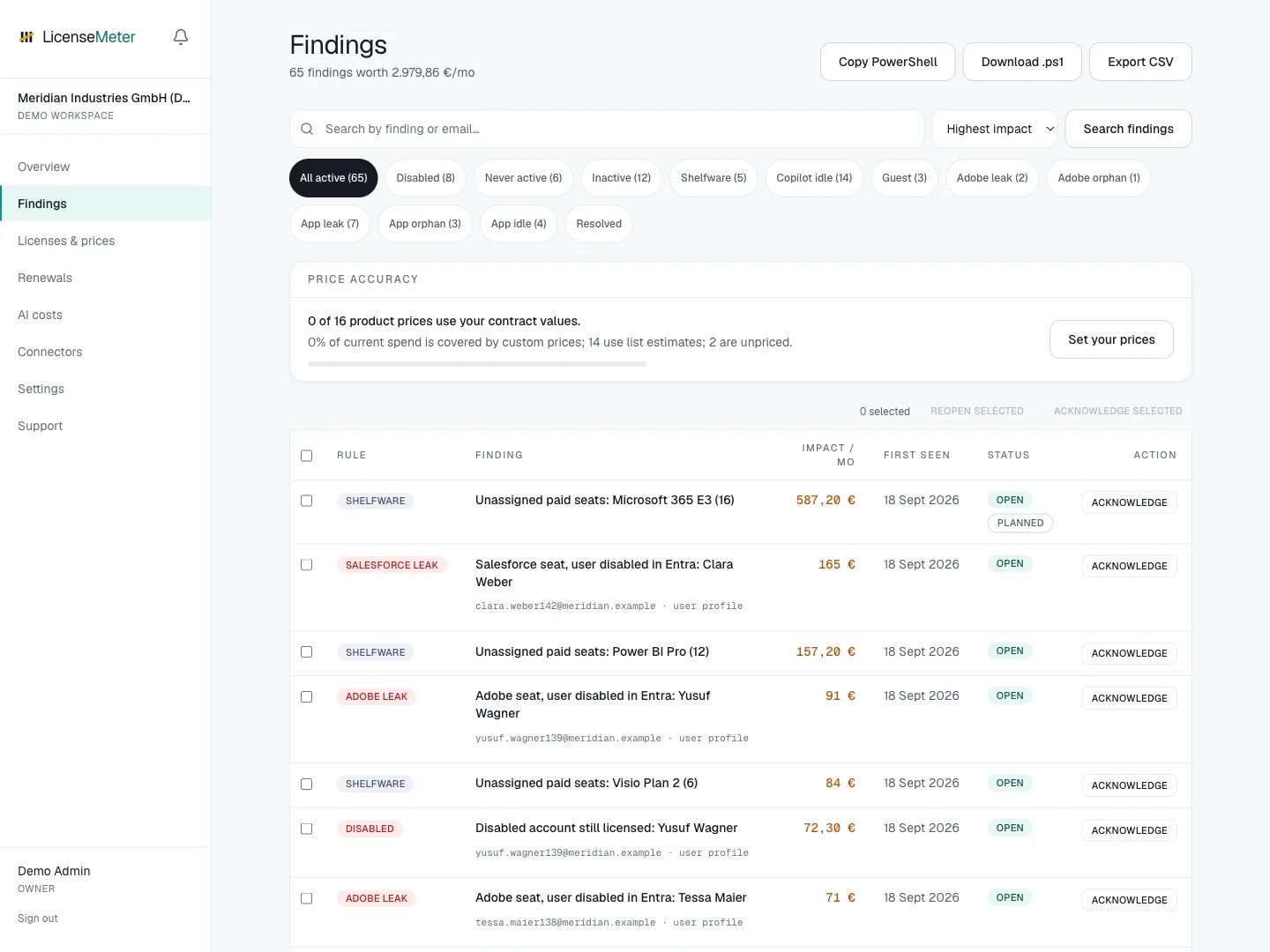
Open **Findings**. Use the available filters and search to narrow the list, then prioritize by monthly impact, offboarding risk or an upcoming renewal. Check data freshness and contract-price coverage first.
{% endstep %}
{% step %}
## Read the evidence
Open the finding and inspect **Finding details**. Follow the user profile link when present to see related findings for the same person. Several findings can describe the same person or related entitlements; review them together before quoting a combined savings figure.
{% endstep %}
{% step %}
## Confirm the business context
Check whether the account is intentionally retained, the person is on leave, access is needed for another role, or the product is covered by a fixed contract. Missing activity is only as reliable as the reports available to the connector.
{% endstep %}
{% step %}
## Record the decision
An Admin can acknowledge a finding, assign a workflow owner, add a due date and link an external ticket. Perform any approved license change through the provider's administration tools, then refresh LicenseMeter to verify the result.
{% endstep %}
{% endstepper %}
{% hint style="info" %}
Acknowledging a finding records review. It does not remove a license, resolve the detection condition or count as verified savings.
{% endhint %}
Continue with [Detection rules](/findings/rules.md) and [Remediation workflow](/findings/workflow.md).
---
# Agent Instructions
This documentation is published with GitBook. GitBook is the documentation platform designed so that both humans and AI agents can read, navigate, and reason over technical content effectively. Learn more at gitbook.com.
## Querying This Documentation
If you need additional information that is not directly available in this page, you can query the documentation dynamically by asking a question.
Perform an HTTP GET request on the current page URL with the `ask` query parameter, and the optional `goal` query parameter:
```
GET https://docs.licensemeter.com/findings.md?ask=&goal=
```
`ask` is the immediate question: it should be specific, self-contained, and written in natural language.
`goal` is optional and describes the broader end goal you are ultimately trying to accomplish on behalf of the user. GitBook uses it to tailor the answer towards what is most useful for that goal.
The response will contain a direct answer to the question and relevant excerpts and sources from the documentation.
Use this mechanism when the answer is not explicitly present in the current page, you need clarification or additional context, or you want to retrieve related documentation sections.