> For the complete documentation index, see [llms.txt](https://docs.licensemeter.com/llms.txt). Markdown versions of documentation pages are available by appending `.md` to page URLs; this page is available as [Markdown](https://docs.licensemeter.com/connectors/microsoft.md).
# Microsoft 365
Choose managed consent, your own app registration, or a Microsoft assessment from a snapshot.
Microsoft 365 provides the directory used to correlate users, licenses and other provider seats. Open **Connectors > Microsoft 365** in the intended workspace. You need LicenseMeter **Admin** or **Owner** to configure a live connection, plus the separate Microsoft authority required by your chosen path.
## Choose one setup path
| Path | Use it when | Continue |
| --------------------------- | ------------------------------------------------------------------------------------------------------- | ---------------------------------------------------------------- |
| Managed consent | You want a live connection without supplying your own application credential | [Connect with managed consent](/connectors/microsoft-managed.md) |
| Bring your own registration | Your organization manages the app registration and credential, and the installation exposes this option | [Connect with your own app](/connectors/microsoft-byo.md) |
| CSV import | You have approved exports and want an assessment without API consent | [Import Microsoft CSV exports](/getting-started/csv-import.md) |
| Instant scan | Your installation offers a delegated, one-time assessment | [Run an instant scan](/getting-started/instant-scan.md) |
Managed and BYO connections provide scheduled and manual refreshes. Snapshot routes require a new import or scan. Additional provider connectors remain unavailable until a live Microsoft connection is established.
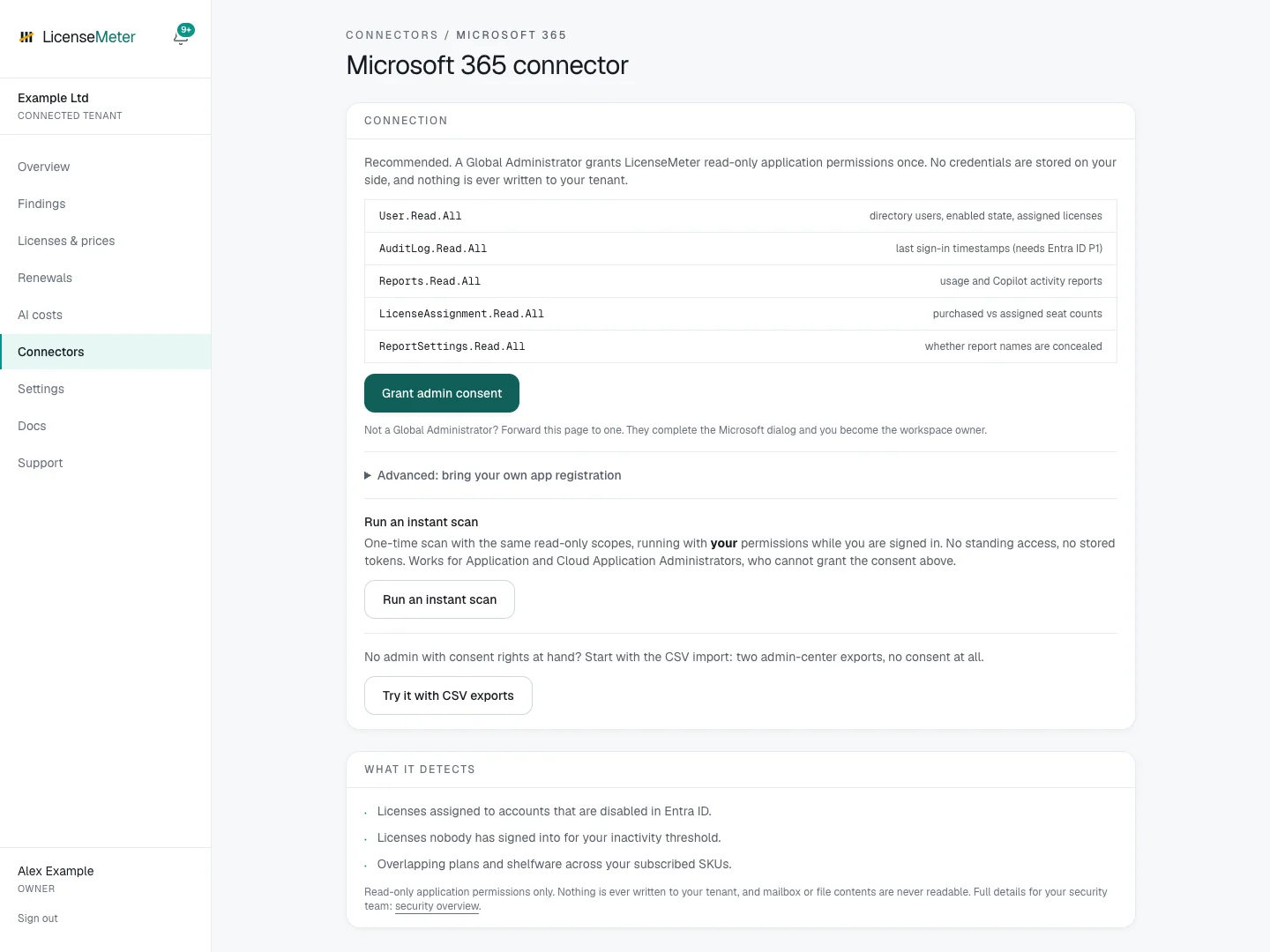
Isolated documentation workspace with fictional data. No live provider connection or customer data is shown.
This illustration enables all setup options. Your installation may show fewer choices; use the route it supports. A Viewer sees an instruction to ask a workspace Admin instead of setup controls.
## Data used
The live connector reads directory users and assigned licenses, purchased and assigned SKU counts, available sign-in activity, usage and Copilot reports, and report-privacy settings. It does not request mailbox, calendar, Teams message, OneDrive file or SharePoint document content.
| Application permission | Purpose |
| -------------------------- | -------------------------------------------------------------------------- |
| User.Read.All | Directory users, enabled state and assigned licenses |
| AuditLog.Read.All | Sign-in timestamps, subject to the tenant's licensing and available signal |
| Reports.Read.All | Usage and Copilot activity reports |
| LicenseAssignment.Read.All | Purchased versus assigned seat counts |
| ReportSettings.Read.All | Whether reports conceal user identities |
These are the live connector's **application** permissions. Account sign-in and a delegated instant scan are separate authorization flows. Read access is tenant-wide for the approved data, not limited to the person who signs in.
## Verify and stop access
Follow [Verify your first sync](/getting-started/first-sync.md) after setup, then [set contract prices](/licenses-and-prices.md). A completed run may still have reporting limitations; see [Report privacy](/troubleshooting/report-privacy.md).
To stop future reads, disconnect Microsoft in LicenseMeter and revoke the application's consent in Entra as appropriate. For BYO, retire its credential only after checking whether anything else uses it. Disconnecting the connector does not erase imported workspace data and stops new syncs that depend on Microsoft. Removing a shared sign-in registration can also block self-hosted login; check that dependency first. Workspace data deletion is a separate destructive action in Settings.
---
# Agent Instructions
This documentation is published with GitBook. GitBook is the documentation platform designed so that both humans and AI agents can read, navigate, and reason over technical content effectively. Learn more at gitbook.com.
## Querying This Documentation
If you need additional information that is not directly available in this page, you can query the documentation dynamically by asking a question.
Perform an HTTP GET request on the current page URL with the `ask` query parameter, and the optional `goal` query parameter:
```
GET https://docs.licensemeter.com/connectors/microsoft.md?ask=&goal=
```
`ask` is the immediate question: it should be specific, self-contained, and written in natural language.
`goal` is optional and describes the broader end goal you are ultimately trying to accomplish on behalf of the user. GitBook uses it to tailor the answer towards what is most useful for that goal.
The response will contain a direct answer to the question and relevant excerpts and sources from the documentation.
Use this mechanism when the answer is not explicitly present in the current page, you need clarification or additional context, or you want to retrieve related documentation sections.